FamiliesSchoolsEnterprisesInstitutionsRemote Workforce Ready

One control centre for safer devices, smarter oversight, and responsible digital governance.

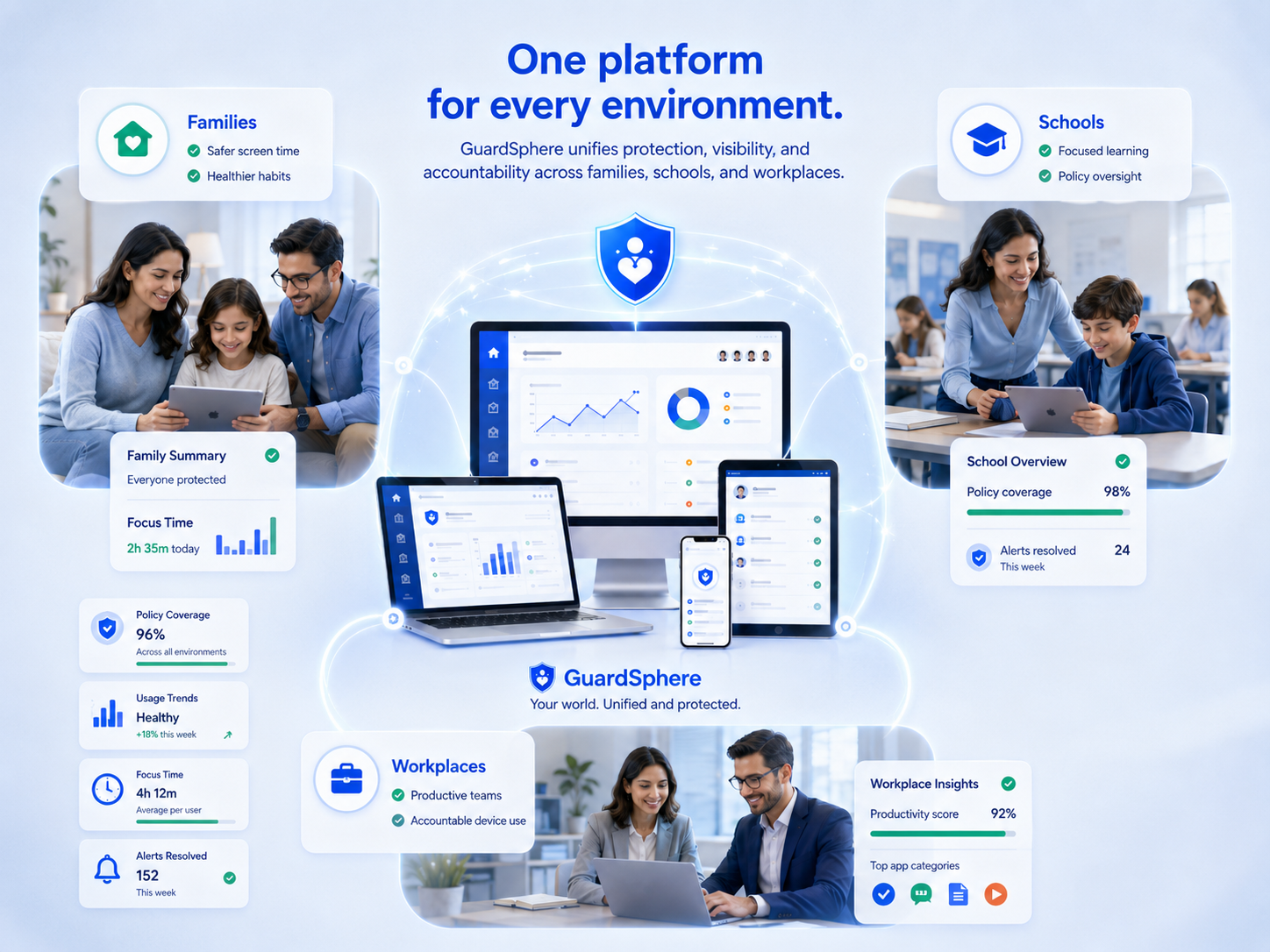
GuardSphere protects families, schools, and workplaces from digital risks while providing oversight and peace of mind.

Every online device can expose users to risks, harmful habits, and addictive distractions that quietly weaken learning, productivity, and accountability. GuardSphere helps families, schools, and workplaces confront these growing digital challenges with clear protection, visibility, and responsible oversight.

3
Product modules
4
Valid plan choices
500+
Scalable device tiers
24/7
Continuous oversight

Core Control

From CAD $10/mo

The mandatory foundation for enrollment, policy enforcement, device visibility, and access control.

Verified Governance

Add-on

Compliance visibility, policy gaps, violation tracking, and audit-ready governance intelligence.

Workforce Intelligence

Add-on

Productivity patterns, schedules, work/study windows, reports, and user attribution.

How GuardSphere works

From enrollment to accountability in three steps.

GuardSphere is designed to make responsible device governance simple enough to adopt and strong enough to scale.

01

Enroll devices

Bring devices into GuardSphere using QR, link, short code, or managed setup.

02

Assign policies

Apply app, website, schedule, and group rules that match your operating reality.

03

Govern and act

Review decisions, investigate violations, improve policy, and upgrade modules when needed.

Device applications

Download GuardSphere Device Agent on your devices.

Install the appropriate GuardSphere application for each platform. Schools normally deploy the ChromeOS Extension centrally through Google Workspace, while Android and Windows Device Agents follow their respective installation and enrollment paths.

School Chromebook deployment

Use Google Workspace Force Install to deploy the ChromeOS Extension. An authorized administrator or delegated IT staff member should then open the installed extension and complete GuardSphere enrollment on every managed Chromebook before it is issued to a student.

ChromeOS Extension available now
Android Google Play release coming soon
Windows Microsoft Store release coming soon
One Deployment Guide for all supported scenarios
Open Deployment Guide
Choose a platform

Scan the QR code or open the download link.

The GuardSphere download URLs remain stable even when the underlying store destination changes. Android and Windows currently open their platform availability pages until their public store listings are approved.

ChromeOS

ChromeOS Extension

Available now

Recommended for managed Chromebook environments

Deploy the GuardSphere ChromeOS Extension centrally through Google Workspace using Force Install.

Deployment note

After installation, an authorized administrator or delegated IT staff member should open the extension and complete enrollment on each managed Chromebook before it is issued to a student.

QR code for the GuardSphere ChromeOS Extension
guardsphere.app/download/chromeos
Android

Android Device Agent

Google Play coming soon

For Android phones and tablets

GuardSphere supports DPC deployment for fully managed devices and normal Device Agent deployment for lighter-control environments.

Deployment note

Review device ownership, authorization, permissions, enrollment, and the appropriate Android management model before rollout.

QR code for the GuardSphere Android Device Agent
guardsphere.app/download/android
Windows

Windows Device Agent

Microsoft Store coming soon

For Windows computers

Deploy the GuardSphere Windows Device Agent with enrollment, background service operation, policy synchronization, and protected removal.

Deployment note

Complete a controlled pilot and verify enrollment, service health, policy synchronization, reporting, and the administrator-authorized uninstall path.

QR code for the GuardSphere Windows Device Agent
guardsphere.app/download/windows
Planning a deployment?

Choose the correct installation and enrollment path before rollout.

Review ChromeOS-only, Android-only, Windows-only, or mixed deployment guidance. The public guide explains platform choices, supported enrollment methods, pilot verification, production rollout, and common deployment questions.

Built for different operating realities

One platform, customized value for every organization type.

Compare pricing

Families

Guide device use at home with practical schedules, app and website controls, visibility, and parent-friendly insight.

5, 10, and 20 device tiers
Household device governance
Simple app and website controls
Weekly parent-ready device insight

Schools

Protect learning environments with student groups, policy enforcement, review queues, governance visibility, and parent communication support.

Class and cohort policies
Student device governance
Learning-focused visibility
Weekly parent-facing insight reports

Enterprises

Support operational accountability across managed devices, remote teams, and work windows without losing clarity.

Usage intelligence
Policy enforcement
Scalable device tiers
Weekly leadership-ready reports

Institutions

Bring compliance-minded digital governance to organizations that need oversight, audit history, and structured accountability.

Audit-ready evidence
Role-based administration
Governance reporting
Weekly accountability summaries

Core device control

Enroll devices, assign groups, and enforce policy decisions with clarity.

Core Control
  • Device enrollment by QR, link, short code, and managed setup
  • Policy assignment for users, groups, and devices
  • Real-time enforcement for allowed and blocked activity

Verified governance

Turn enforcement activity into evidence your organization can understand.

Governance
  • Policy gaps, violation signals, and governance visibility
  • Audit-ready decision history for blocked and allowed events
  • Compliance posture that helps leaders act with confidence

Workforce intelligence

Understand digital work patterns without losing operational accountability.

Intelligence
  • Usage insight by app, domain, schedule, and work window
  • Productivity and study behavior patterns
  • Reports with user attribution where enabled

School-ready protection

Support learning environments with policy enforcement and digital clarity.

Schools
  • Student and staff device governance
  • Group-based policy control for classes and cohorts
  • Domain and app review workflows for safer learning

Family safety and visibility

Give parents a practical way to guide device use with less guesswork.

Families
  • Simple controls for apps, websites, and schedules
  • Device visibility for household governance
  • Flexible plans for smaller device fleets

Enterprise accountability

Govern managed devices across distributed teams and operational units.

Enterprise
  • Scalable policy structure for larger device fleets
  • Remote workforce readiness and usage visibility
  • Role-based administration and premium modules
Trust and accountability

Built for governance, not guesswork.

GuardSphere is designed around clear roles, transparent policy decisions, review workflows, and subscription controls that help teams operate responsibly.

Role-based administration for safer delegation
Audit-ready logs that explain policy decisions
Review queues for domains and applications
Trial, demo-code, and subscription access control
Device-tier enforcement to prevent unsafe downgrades
Separate paths for families, schools, enterprises, and institutions
GuardSphere Partner Program

Grow with GuardSphere by helping organizations adopt smarter device governance.

Partners can introduce GuardSphere to families, schools, institutions, and enterprises, then track referrals, signups, conversion activity, and payout progress from a dedicated partner dashboard.

10% commission

Earn eligible partner commission when referred customers convert.

5% customer benefit

Help referred organizations start with a clearer incentive.

Tracking tools

Referral links, dashboard tracking, and share-ready assets.

Start or return to your partner journey

New visitors can join in minutes. Returning partners can access referral codes, public dashboard links, and performance tracking.

Ready to govern devices with confidence?

Start with Core Control. Add Verified Governance and Workforce Intelligence when you need deeper compliance visibility and operational insight.